Kotlin app / Android
Logic Gate Studio.
A digital logic lab for students of computer science and electronics. Draw a circuit, watch it run, and read in plain words why every output changed.

Screenshots
What you get
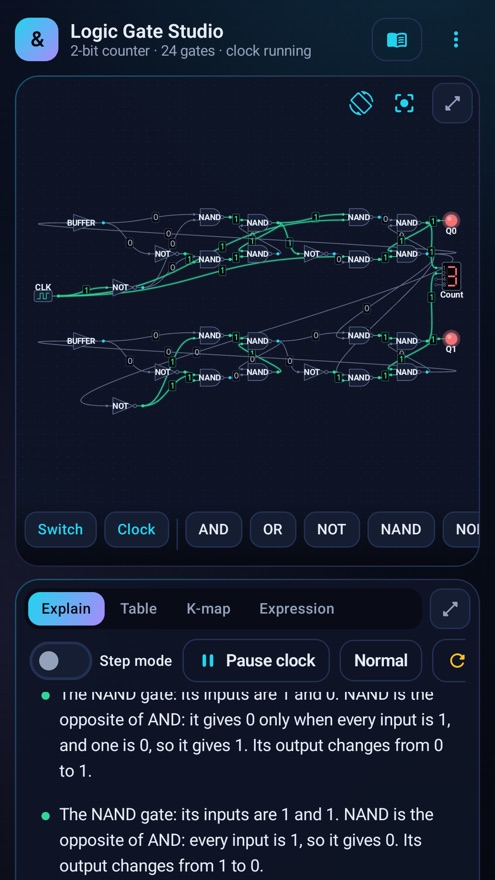
Draw on a touch canvas
AND, OR, NOT, NAND, NOR, XOR, XNOR and buffer gates, switches, a clock, LEDs and a 7-segment display. Drag between pins to wire them.
Live simulation
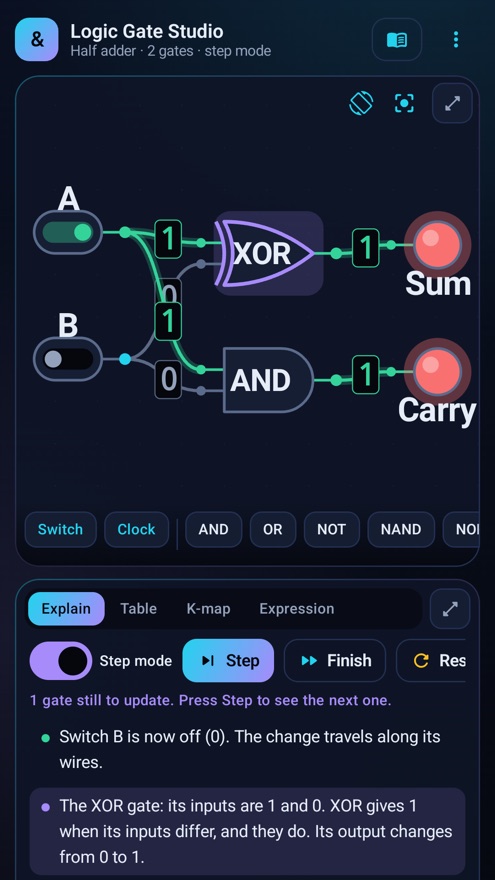
Flip a switch and every wire shows its new value, 1 or 0.
Every step explained
Step mode sends a change through one gate at a time and says why each output changed.
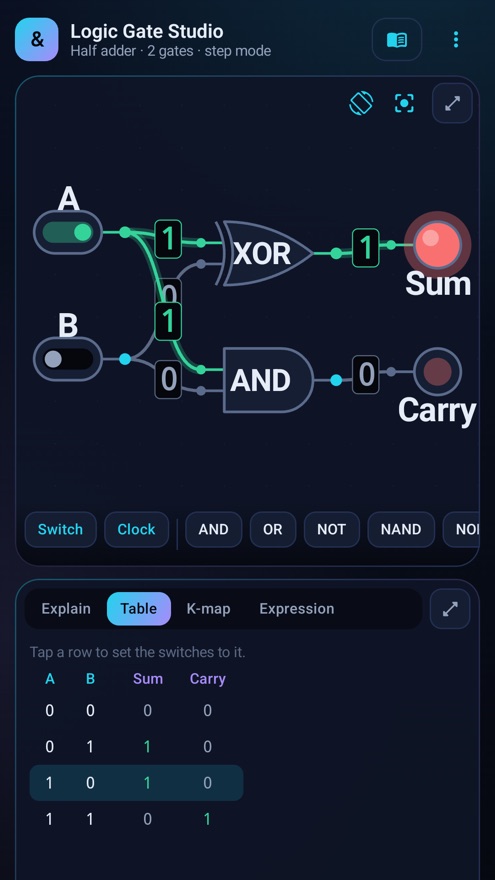
Truth table
Built live from your drawing. Tap a row to set the switches to it.
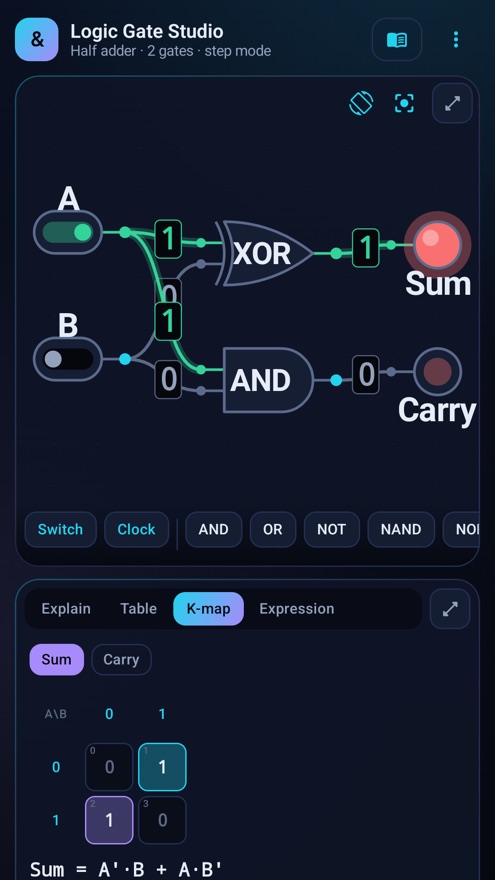
Karnaugh map
For two to four inputs, with the groups coloured and the minimal sum of products worked out and explained.
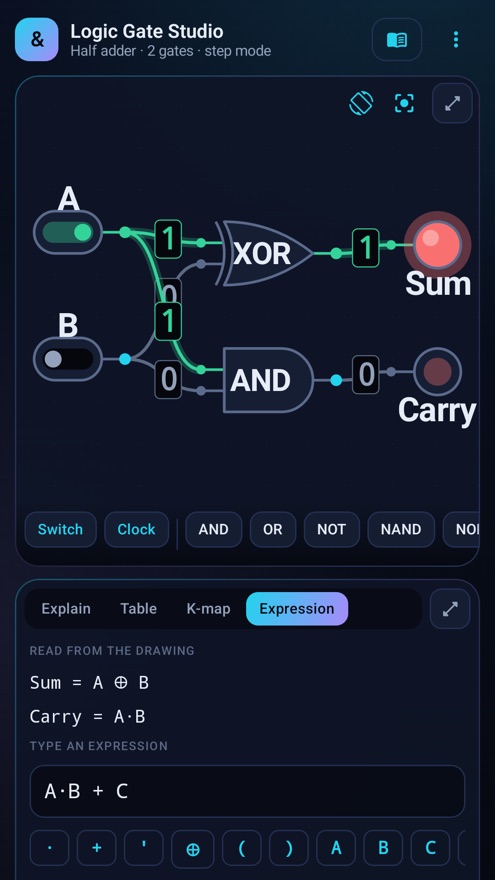
Expressions both ways
Read the expression off your circuit, or type one such as A·B + C' and get the circuit and its table.
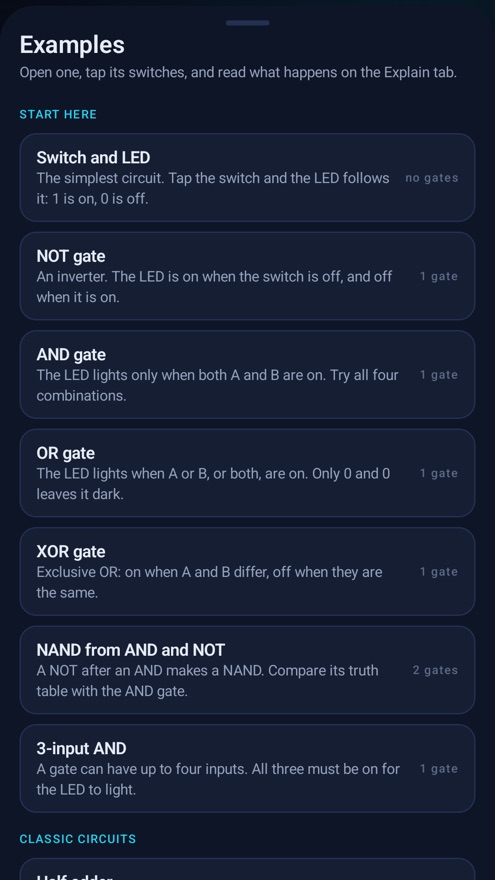
Sixteen examples
From a single switch and LED, through each gate, to adders, multiplexers, a decoder, latches, a flip-flop and a counter.
Big circuits sideways
One tap turns the screen to landscape and gives the whole screen to the drawing.
Signals that travel like real ones
The simulator passes each change through the circuit gate by gate, starting from the values it had a moment before. That is what lets latches and flip-flops remember a bit, lets a counter count, and lets step mode show the order in which the outputs change.
It works offline and needs no account. Your circuits are kept on your device, and you can share any of them as an image. The app is free and shows a small banner advert below the work area.
If something you need is missing, write to [email protected] and tell me which.